Friday, 24 April 2020

Upgrade from Windows 7 Home to Windows 10 Pro


https://superuser.com/questions/1151555/upgrade-from-windows-7-home-to-windows-10-pro

You can acomplish this by doing the following. You will need to upgrade your installation to Windows 10 Home. You then upgrade Windows 10 Home to Windows 10 Professional, using the generic license key, VK7JG-NPHTM-C97JM-9MPGT-3V66T. Once you are upgrade to Windows 10 Professional, navigate to Settings > Update & security > Activation > Change the product key and enter your Windows 8.1 Professional license key.

Wednesday, 22 April 2020

windows 10 quick launch toolbar disappears on restart


Thank you for posting your query in Microsoft Community. I regret the inconvenience caused to you. Let me help you.

  • Do you see any error message or error code on the screen?
I suggest you to perform the below troubleshooting steps and check if it helps.
Method 1: Run SFC Scan
Click on the below link and follow the procedure to perform a SFC Scan.
Method 2: Run PowerShell
  • Open the Task manager.  Here’s a tip:  Press CTRL+Shift+ESC. 
  • Click File > Run New Task 
  • Make sure you have a check mark beside “Create this task with administrative privileges” 
  • Type PowerShell 
  • Type the following in the PowerShell prompt:$manifest = (Get-AppxPackage Microsoft.WindowsStore).InstallLocation + '\AppxManifest.xml' ; Add-AppxPackage -DisableDevelopmentMode -Register $manifest 
  • Close the PowerShell window 
  • Reboot
Check if it helps.
Please keep us posted on the issue. We will be happy to assist you accordingly.

Thank you.

Wireless USB Adapter for MacOS

https://github.com/chris1111/Wireless-USB-Adapter

Monday, 20 April 2020

Windows 10 taskbar not working FIX!!!! Build 10074

  1. Press Windows Key + R on your keyboard.
  2. Key in PowerShell and hit Enter.
  3. Right click on the PowerShell icon on the taskbar and select Run as Administrator.
  4. Now paste the following command in the Administrator: Windows PowerShell window and press Enter key:
  5. Get-AppXPackage -AllUsers | Foreach {Add-AppxPackage -DisableDevelopmentMode -Register "$($_.InstallLocation)\AppXManifest.xml"}
  6. NOW for the important part ! Locate to :  C:/Users/name/AppData/Local/ and delete the TileDataLayer folder. Should fix everything immediately, no reboot necessary. Let me know how it works for you, it did for me! And remember to clean the recycle bin after you deleted the folder and give it 1min then everything is back to normal !

Sunday, 12 April 2020

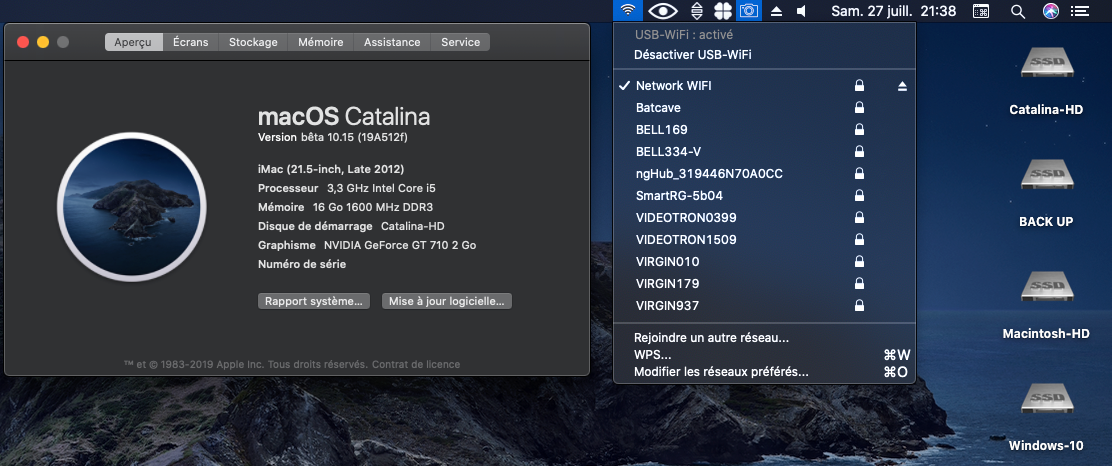
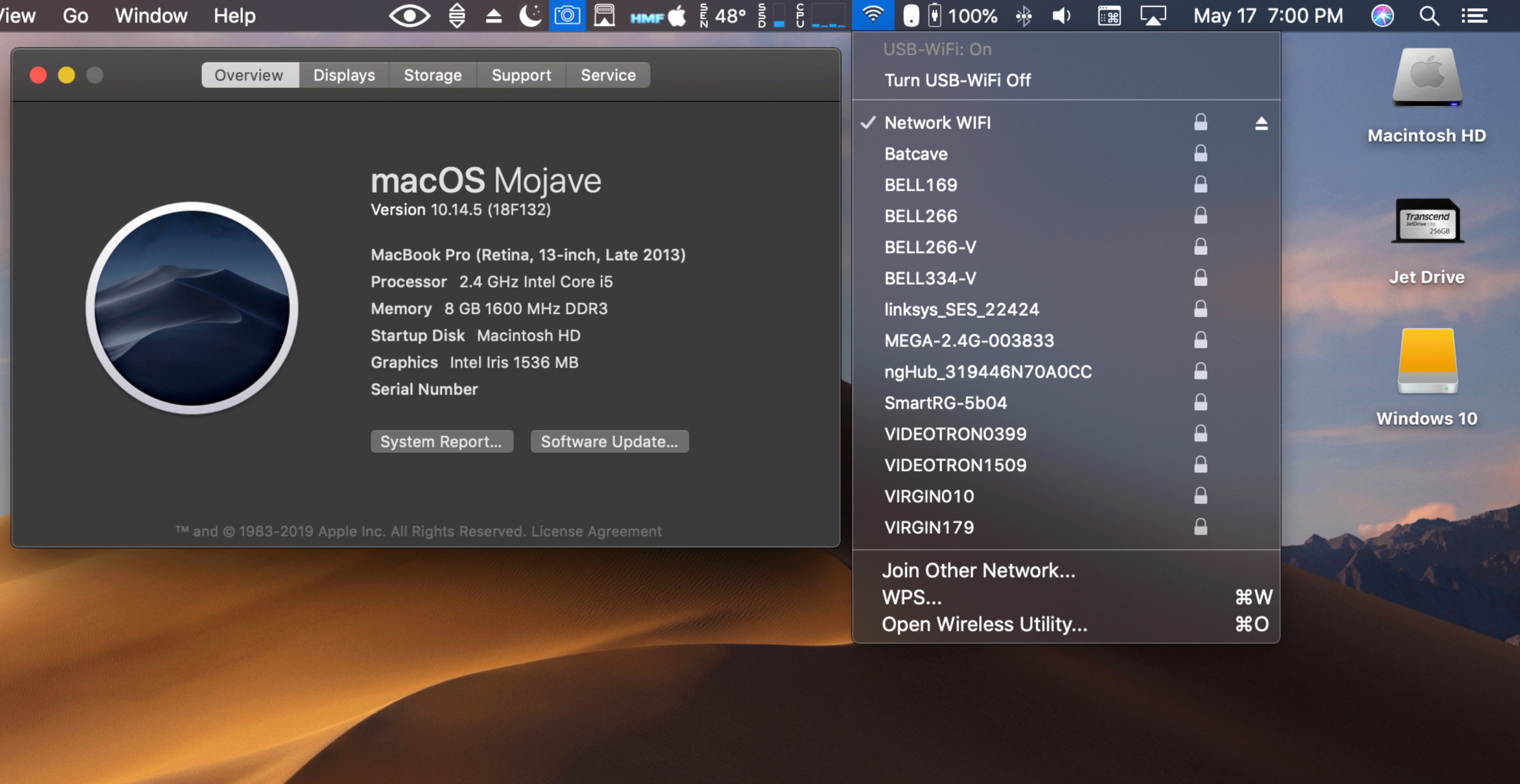
Wireless USB Adapter Support macOS

https://github.com/chris1111/Wireless-USB-Adapter

Wireless USB Adapter

Welcome to Wireless USB Adapter

Support macOS Catalina 10.15, macOS Mojave 10.14, macOS High Sierra 10.13, macOS Sierra 10.12, OS X El Capitan 10.11, OS X Yosemite 10.10, OS X Mavericks 10.9

  • Release Update 07 March 2020 New Driver and Utility

Drivers for Realtek 802.11n and 802.11ac USB Wi-Fi adapters

Packages for macOS (Real Mac) working also for Hackintosh PC or Laptop

Thanks to airomeo for Translation(Simplified Chinese) zh-Hans for Wireless Utility

Known Working and testing adapter

  • Archer T2U NANO
  • Archer T3U
  • ArcherT4U V3
  • Archer T9UH V2
  • ASUS USB AC68
  • ASUS USB-N13
  • EDIMAX EW-7722UTn V2
  • EDIMAX_EW-7822ULC
  • EDIMAX EW-7612Uan V2
  • EDIMAX N300
  • EDIMAX EW-7811Un
  • Linksys WUSB6300
  • Linksys WUSB6400M
  • Netgear A7000
  • Sitecom WLA7100
  • TL-WN823Nv3
  • TL-WN823Nv2
  • TL-WN725Nv3
  • TL-WN723Nv3
  • TL-WN722Nv3
  • TL-WN821Nv6
  • TL-WN822Nv5
  • TRENDnet N150 Micro

Friday, 6 March 2020

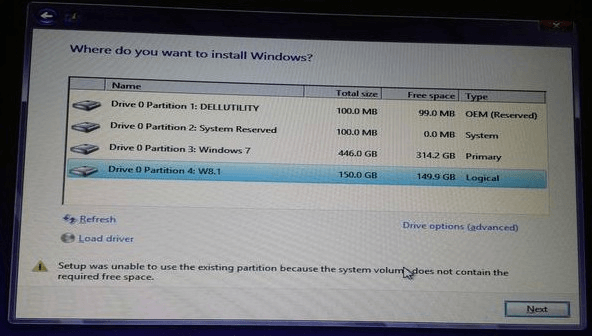
Fixed - Setup Was Unable to Use the Existing Partition
https://www.minitool.com/partition-disk/setup-cannot-use-system-partition.html

Receive an error message "Setup was unable to use the existing partition because system volume does not have required free space"

You can clearly see this 100MB system partition only has 0 free space left so that it does not contain the required free space

Setup was unable to use the existing partition

Dual Boot Mac OS X and Windows


To solve setup was unable to use the existing partition windows 10 Bootcamp issue, you can search on the internet to see whether there is partitioning tool for Mac to enlarge the system partition without data loss.
Disappointingly, so far we haven't found such a program. If you discover one, please share it with us so as to help more people. Much appreciate!
However, if you don't want to use third-party partitioning program, you'll need to delete both EFI partition and Mac OS partition, then reinstall Mac system without creating the EFI system partition or creating a larger EFI partition, and next install Windows to Bootcamp partition.

How to Download a Windows 10 ISO Without the Media Creation Tool


How to Download a Windows 10 ISO Without the Media Creation Tool

https://www.howtogeek.com/427223/how-to-download-a-windows-10-iso-without-the-media-creation-tool/

One exception is the HeiDoc.net Windows ISO Downloader tool, which lets you get the official Windows 10 ISO download from Microsoft. The program doesn't come from Microsoft but it does grab the ISO directly from Microsoft's website (software-download.microsoft.com), so unlike a torrent site or other file sharing method, it's most likely safe and can be a good alternative if Microsoft's tool (above) didn't work for you.